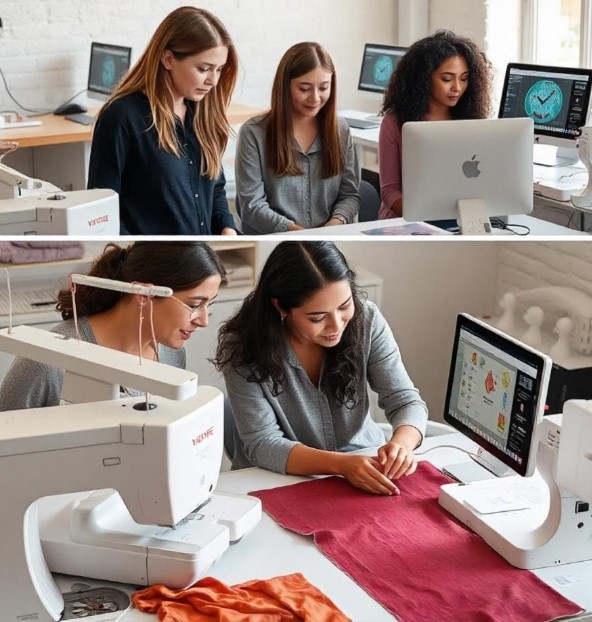
Embroidery machines today are smarter and faster than ever. They can stitch logos, designs, and text with great precision. But before a machine can bring a design to life, the artwork must be prepared properly. A design that looks good on a computer screen may not stitch well without preparation.One common step in preparing artwork is to Convert Logo for BAi Mirror Embroidery Machine.
This process ensures your logo is turned into a machine-readable file with the right stitch paths, thread colors, and sequence. Proper conversion allows high-tech embroidery machines to produce clean and professional results.
This guide will provide beginner-friendly tips for preparing artwork for modern embroidery machines. These tips come from real-world embroidery experience and will help you create smooth, reliable, and high-quality stitching.
Why Artwork Preparation Matters
Even the most advanced embroidery machines cannot fix poorly prepared artwork. The design file is the machine’s guide. If the file is messy or unclear, stitching will be affected.
Common Problems With Unprepared Designs
Some issues that can occur include:
- Broken stitches
- Uneven shapes
- Thread breaks
- Gaps in the design
- Poorly defined outlines
These problems can waste time, thread, and fabric.
Benefits of Proper Preparation
When artwork is prepared correctly, you get:
- Smooth and clean stitching
- Accurate design shapes
- Balanced fill areas
- Fewer errors and thread breaks
- Faster machine runs
Well-prepared artwork also builds trust if you are doing embroidery for clients.
Understanding High-Tech Embroidery Files
Before preparing your artwork, it is important to understand how embroidery files work.
What Is an Embroidery File
An embroidery file is not a simple image. It contains instructions for the machine.
It tells the machine:
- Where to place each stitch
- Which stitch type to use
- Which thread color to use
- In what order to stitch
The machine follows these instructions step by step.
Why Digitizing Is Important
Regular images are made of pixels. Machines cannot read pixels. They need stitch paths. Digitizing converts artwork into stitch paths, making it readable for the embroidery machine.
Professional services like Embroidery Digitizing Services in USA – Digitizing Buddy can help ensure your artwork is digitized correctly for optimal stitching.
Step 1: Choose a Clear Artwork
The first step is selecting the right image or logo.
Use High-Quality Images
High-resolution images are easier to digitize. Blurry images may create uneven stitches.
Keep Designs Simple
Complex designs with too many details may not stitch well. Bold shapes work best for embroidery.
Clear Edges
Sharp edges help the machine follow paths accurately. Fuzzy edges can lead to messy stitches.
Step 2: Simplify the Artwork
Embroidery works best with fewer details and clear shapes.
Remove Small Elements
Tiny dots, thin lines, or intricate textures may not show up on fabric. Removing them makes the design cleaner.
Limit Colors
Too many thread colors slow down stitching and can make the design messy. Fewer colors often produce better results.
Bold and Simple Shapes
Large, bold areas stitch consistently. Thin or complex shapes may be hard for the machine to follow.
Step 3: Choose the Correct Design Size
Size affects how the design stitches.
Match the Hoop Size
High-tech embroidery machines use hoops to hold fabric. Common hoop sizes include:
- 4 × 4 inches
- 5 × 7 inches
- 6 × 10 inches
Ensure your design fits within the hoop.
Avoid Extreme Resizing
Stretching a small design to a large size can distort stitches. Prepare artwork close to its final size.
Step 4: Select the Right Stitch Types
Different parts of a design require different stitches.
Running Stitch
Used for thin lines and fine details.
Satin Stitch
Smooth and shiny, ideal for outlines and text.
Fill Stitch
Used for larger areas to give texture and depth.
Using the right stitch type improves the appearance and durability of the design.
Step 5: Plan the Stitch Order
The stitch order affects how the design looks and runs.
Start With Large Areas
Large sections should stitch first to create a strong base.
Add Details Later
Text, borders, or small shapes should stitch after the main sections.
Reduce Jump Stitches
Jump stitches happen when the machine moves between areas. Proper planning reduces these jumps and saves thread.
Step 6: Adjust Stitch Density
Stitch density refers to how close stitches are placed.
Too High Density
Excessive stitches can cause:
- Fabric puckering
- Thread breaks
- Slower stitching
Too Low Density
Sparse stitches may leave gaps in the design.
Balanced Density
Balanced stitch density ensures smooth and even embroidery. Professionals adjust this carefully for each design.
Step 7: Select Thread Colors
Thread colors affect visibility and final appearance.
Use Contrast
Colors should stand out against the fabric. For example:
- Light thread on dark fabric
- Dark thread on light fabric
Keep Colors Simple
Too many colors can slow the machine. Simple color schemes often look better and stitch faster.
Step 8: Test the Design
Testing is crucial for quality embroidery.
Run a Sample Stitch
Always test on scrap fabric before stitching the final piece.
Testing shows:
- Stitch quality
- Thread tension
- Color balance
Fix Issues Early
Adjust the design if there are gaps, broken stitches, or color problems. Testing saves thread, fabric, and time.
Tools That Help Prepare Artwork
Several tools can help prepare artwork for high-tech embroidery machines.
Digitizing Software
Digitizing programs allow designers to:
- Trace artwork
- Adjust stitch density
- Select stitch types
- Plan stitch paths
Image Editing Tools
Image editors help clean and simplify artwork, removing extra details to make designs machine-ready.
Professional services like Embroidery Digitizing Services in USA – Digitizing Buddy use these tools to produce precise, high-quality embroidery files.
Tips From Experienced Embroiderers
Years of experience provide valuable insights.
Use Stabilizer
Stabilizers support fabric during stitching and prevent puckering.
Use Quality Thread
High-quality thread reduces breaks and improves color consistency.
Keep Needles Sharp
Dull needles may damage fabric or thread. Changing needles regularly improves stitching.
Common Beginner Mistakes
Beginners often make mistakes that affect embroidery quality.
Using Low-Resolution Artwork
Blurry logos create messy stitch designs. Always start with clear images.
Ignoring Hoop Size
A design larger than the hoop cannot stitch correctly. Always check hoop dimensions first.
Skipping Test Stitches
Skipping tests can waste fabric and thread. Testing catches issues early.
How Experts Prepare Designs
Professional digitizers follow a careful workflow.
Study the Artwork
They examine the design and decide which stitch types and paths will work best.
Plan Stitch Order
They plan stitch sequences to reduce jumps and ensure smooth machine runs.
Test and Adjust
Designs are stitched and tested before delivery to guarantee quality.
Services like Embroidery Digitizing Services in USA – Digitizing Buddy provide reliable files that work perfectly on modern embroidery machines.
Why Proper Preparation Builds Trust
Clean and professional embroidery builds customer trust.
Well-prepared designs reduce errors, save time, and produce consistent results.
Working with experienced teams like Embroidery Digitizing Services in USA – Digitizing Buddy ensures businesses produce high-quality embroidery reliably.
Final Thoughts
Preparing artwork for high-tech embroidery machines may seem complex, but it becomes simple with practice.
Follow these steps:
- Start with clear artwork
- Simplify designs
- Choose the correct size
- Select appropriate stitch types
- Plan stitch order
- Adjust stitch density
- Pick the right thread colors
- Test before final stitching
With careful preparation, anyone can turn a design into smooth, professional embroidery. High-tech machines can produce incredible results when designs are ready and properly digitized.